


Attach the file version you want to question
We selected Knowledge Search (@knowledge-search) in the installed desktop app, attached workshop-content-en-v2.md and restricted the questions to that version. The request excluded other files and chat memory.
The file held three fictional workshop drafts, supplied facts, unknowns and a word-count table. We requested the source filename, exact section heading and a short supporting excerpt for each answer.
Check each answer against its source section
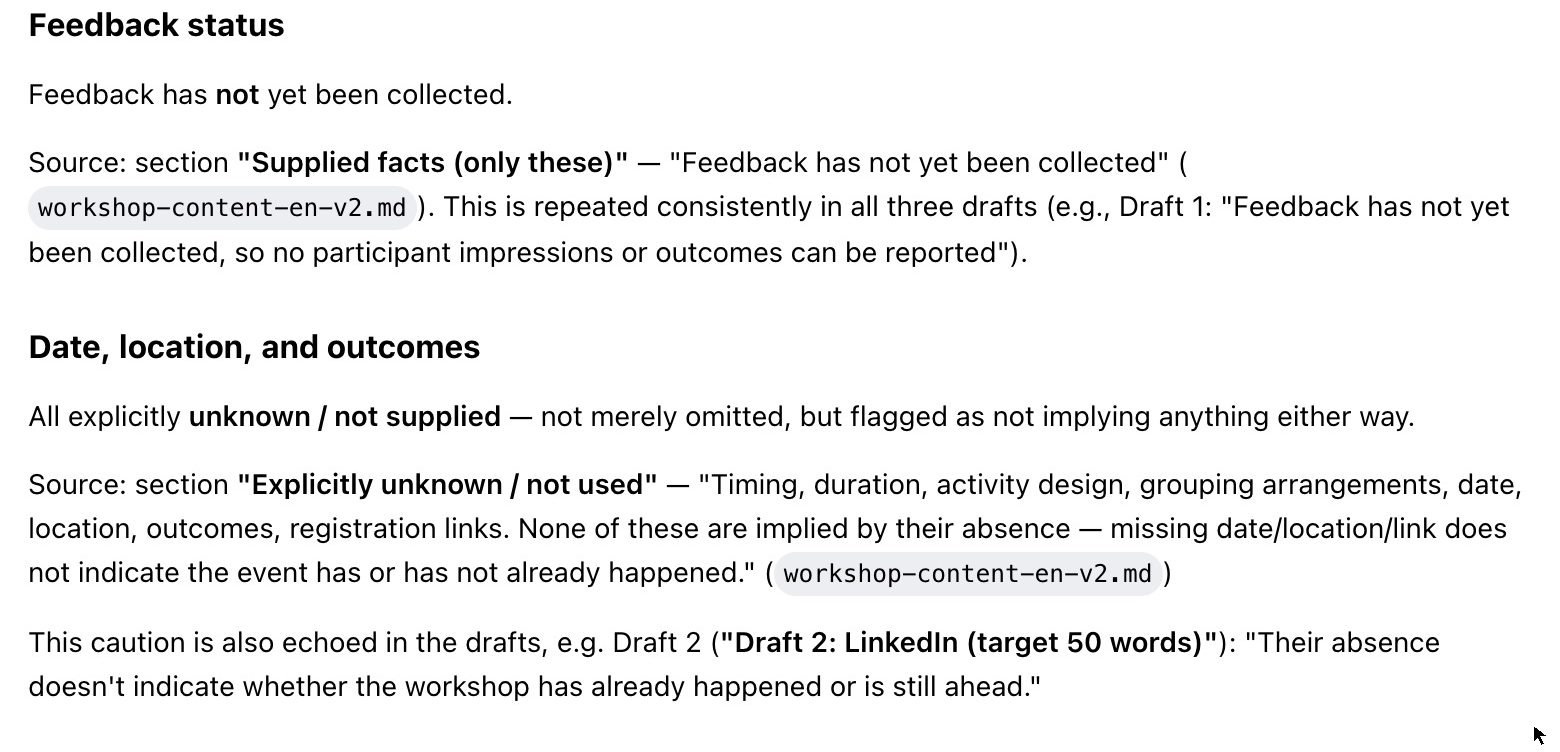
The response identified 24 participants, 3 facilitators and 4 exercises. It cited the file's “Supplied facts (only these)” section, which contained those figures. The feedback answer used the same section: feedback had not yet been collected.
For the draft lengths, it pointed to “Word counts (verified).” The documented target and actual counts matched the source: Blog 90 and 95 words, LinkedIn 50 and 53, and Announcement 25 and 23.
The facts and section references matched the attached file without a factual correction request. We still checked the text beneath the heading: the word “verified” in a section name does not independently prove its contents.
Keep missing information labeled as unknown
For date, location and outcomes, Orlino cited “Explicitly unknown / not used.” It kept them unknown or not supplied, without inventing a venue, date or positive result.
The missing details didn't establish whether the workshop had happened. The answer retained the source's fictional-example framing; it did not independently verify facts about a real event.
A prompt for a source-based lookup
After attaching your source, adapt this suggested lookup prompt:
@knowledge-search
Use only the attached [filename]. Read this version rather than relying on chat memory or another file.

Answer these questions: [list the specific facts or figures you need]. For each answer, name the exact source filename and section heading, with a short supporting excerpt.

Keep unknowns, estimates and pending items labeled. If the source cannot answer a question, say so. Preserve any fictional-example or draft status. Do not add outside information or treat a statement in the file as independently verified. Use English throughout.
Review the references before reusing an answer
Open the source before reusing an answer. Compare its filename, section heading and supporting text, including units, dates and qualifiers. If you replace the attachment, ask for an answer tied to the new version.
We tested one local Markdown attachment. Connected knowledge bases, a full library, cloud-drive search, the web and retrieval across workspaces weren't tested.
See Orlino tips for working across chats and files or the project-notes-to-files walkthrough for more file tasks. Bring a source to Orlino and ask a question you can check against the text.
About this article
Published by Orlino, based on recorded product tests using fictional or supplied sample material. The results and limits described apply to those tests; features and model availability may vary by build and account. Screenshots are cropped to remove unrelated account details; retained text is unchanged. See our editorial process.
Try your next task in Orlino.
Bring your notes, files, and questions to Orlino. Choose the app for your device.
Keep reading
Write a Research Brief with Conflicting Source Notes
Write a research brief with conflicting source notes. See an Orlino test that preserves disputed counts and corrects unsupported independence claims.
Read article Work & productivityAttach the Correct File Version in Orlino
Attach a specific file version in Orlino and check the attachment chip before sending. Follow the source checks and the edit attempt that was blocked.
Read article