


This is a useful starting point before proposing an improvement. First record the process and the measurements you have. Then decide which missing measurement would make the next analysis meaningful.
Twenty minutes of work is not a delivery promise
Our first fictional process had four sequential steps: receive a request in two minutes, check fields in five, route to an owner in three and review in ten. Orlino preserved the order and calculated twenty minutes of handling time.
The source contained no waiting-time data. The response therefore left elapsed time unknown and asked for the measurement needed to understand it. It did not label the longest work step a proven bottleneck or promise savings from automation.
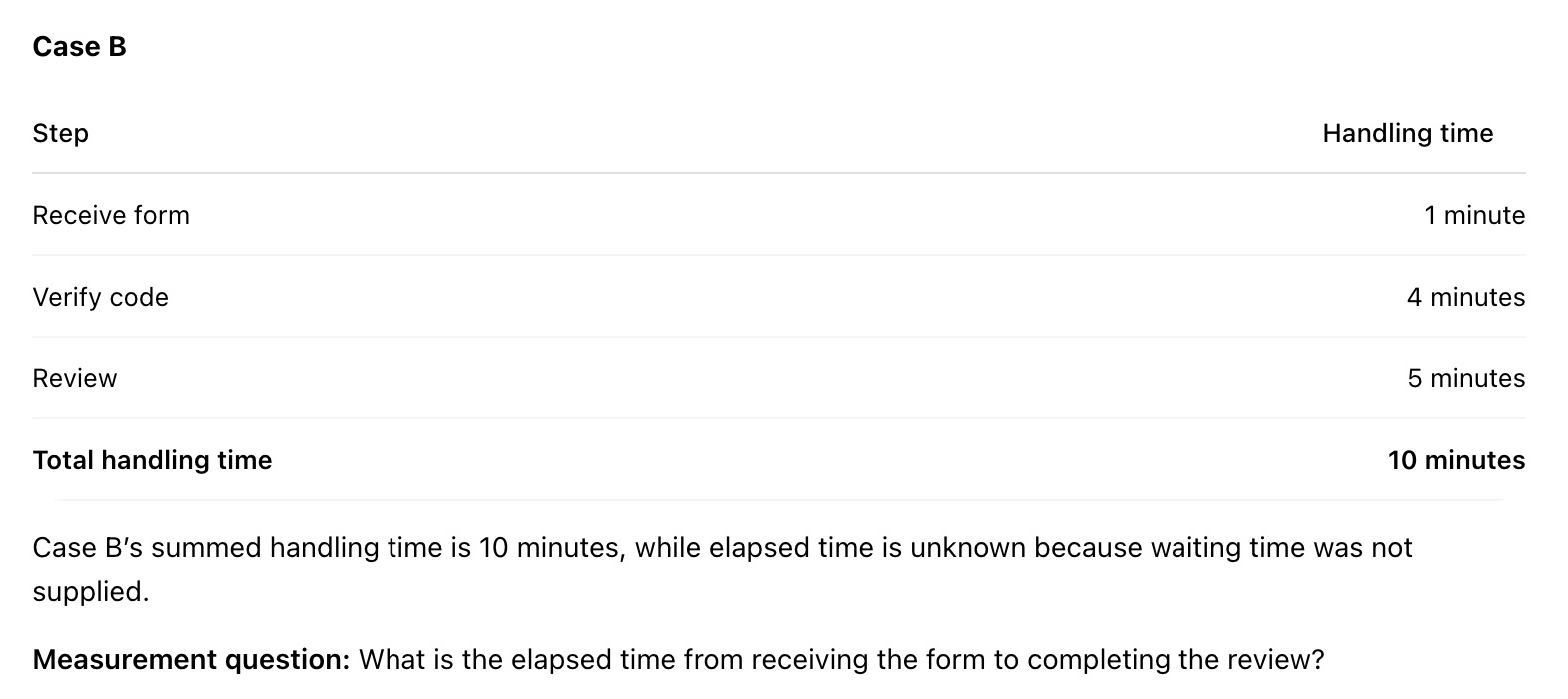
The second independent case used three steps: receive a form in one minute, verify a code in four and review in five. The result totaled ten minutes and again distinguished the known work durations from unknown elapsed time.
Supply measured durations and their units
Select Workflow Optimization Expert in a new task. We used GPT-5.6-Sol in Orlino desktop version 0.0.6.
Map these sequential steps using their exact names and handling times: [steps and minutes]. Show the total. Waiting time is unknown. Add one sentence distinguishing handling time from elapsed time and one measurement question. Do not infer a bottleneck, savings or an implemented change. Reply in English in chat.Say whether steps are sequential or parallel. The arithmetic in this walkthrough used sequential steps; overlapping activities need a different treatment for an end-to-end duration.
Measure before recommending a change
Add the work durations independently, then identify where the elapsed-time clock starts and stops. A follow-up measurement can show waiting between steps. Until that evidence exists, a shorter handling-time sum should not be presented as the time a requester will wait.
The calculations cover supplied sequential work durations. Observing a live process, measuring queues and implementing changes were outside the test.
Map workflow time in Orlino using the durations your team has actually recorded.
About this walkthrough
Published by Orlino Editorial from two recorded fictional chat cases in Orlino 0.0.6 with GPT-5.6-Sol on October 21, 2026. The starting prompt is adaptable. These examples establish only the described scope, not general model reliability. Screenshot text is unchanged; account controls are outside the crop. See our editorial process.
Try your next task in Orlino.
Bring your notes, files, and questions to Orlino. Choose the app for your device.