


The table is useful when a component has a default state but its disabled, saving or error behavior is only partly documented. Unknown cells make those gaps explicit for the next design review.
Preserve the labels and the missing states
Our first fictional case described a Save button. Its default label was Save, it was disabled when Title was empty, and its saving label was Saving. Error behavior was unspecified. Orlino produced the four requested rows and kept the error state Unknown.
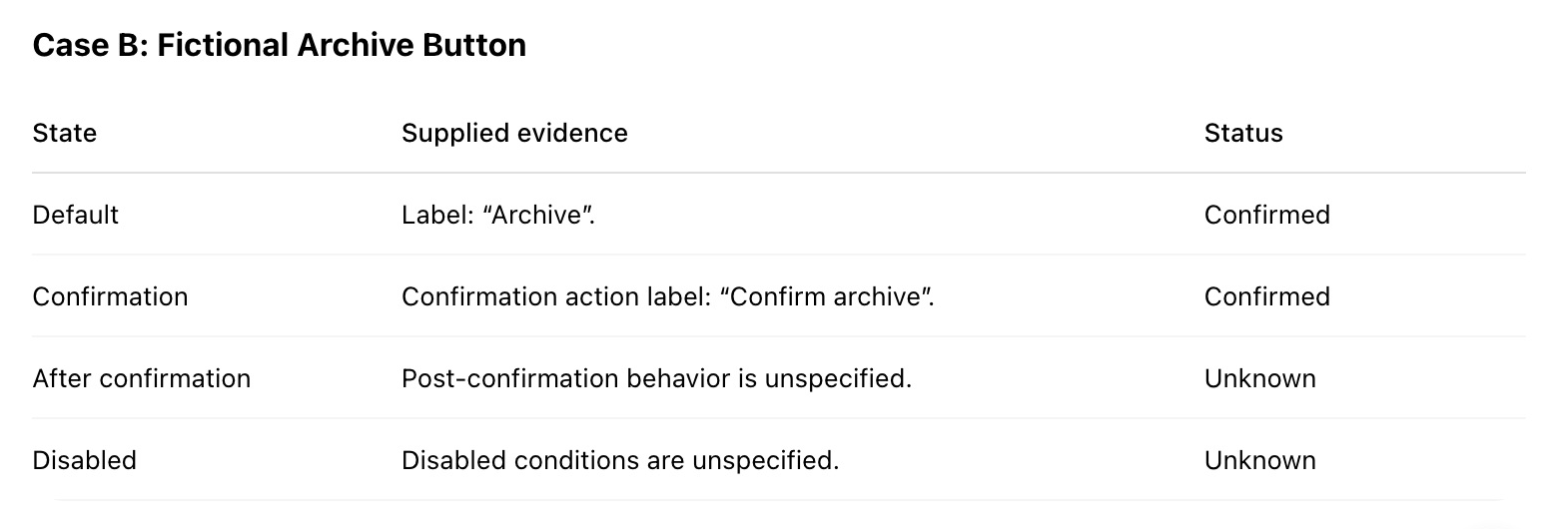
The second case described an Archive button. The known labels were Archive and Confirm archive. Post-confirmation behavior and disabled conditions were unspecified. Those two states remained Unknown, rather than acquiring an assumed toast, navigation change or validation rule.
Both tables used exactly three columns: State, Supplied evidence and Status. Keeping evidence beside the status made it possible to check why a row was Confirmed or Unknown.
Request an inventory before a full design
Select Design System Architect in a new task. Our cases used GPT-5.6-Sol in Orlino desktop version 0.0.6.
Build a state inventory for this fictional component from the supplied facts: [labels, conditions and unspecified states]. Use exactly three columns: State, Supplied evidence, Status. Include these four states: [states]. Mark supplied details Confirmed and unspecified details Unknown. Do not invent styling, effects, accessibility results or implementation. Reply in English in chat.Choose the states that matter to the component under review. A fixed inventory gives the reviewer a clear scope; it does not establish that every possible state has been covered.
Resolve unknowns with the design owner
Check exact label spelling and the conditions attached to each state. Decide what evidence is needed to fill an Unknown row. A component specification also needs implementation and accessibility review before it can support claims about actual behavior.
The inventories remained available in chat. Component implementation and accessibility testing still need their own evidence.
Draft a component inventory in Orlino to make the next specification review concrete.
About this walkthrough
Published by Orlino Editorial from two recorded fictional chat cases in Orlino 0.0.6 with GPT-5.6-Sol on October 21, 2026. The starting prompt is adaptable. These examples establish only the described scope, not general model reliability. Screenshot text is unchanged; account controls are outside the crop. See our editorial process.
Try your next task in Orlino.
Bring your notes, files, and questions to Orlino. Choose the app for your device.